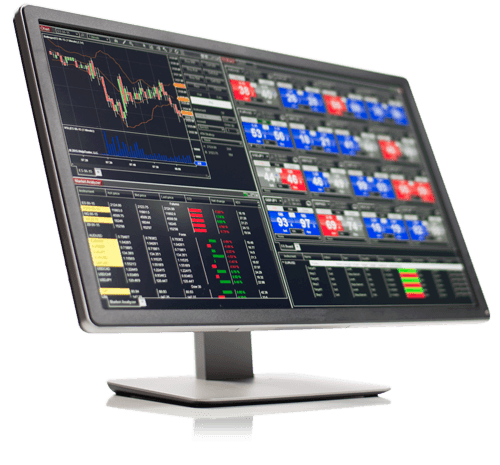
Trade with NinjaTrader.
Get access to advanced charting, strategy development, backtesting, trade simulation and real-time futures data.
- Advanced charting
- Trade simulator
- Strategy development and backtesting

You already know how to trade. Blow Block is the missing layer that controls your decisions when pressure takes over.
Blow Block is a third-party NinjaScript Add-On for NinjaTrader Desktop. These are the platform and market-data services we recommend.

Get access to advanced charting, strategy development, backtesting, trade simulation and real-time futures data.


Kinetick delivers fast, cost-effective market data and free end-of-day historical data directly through NinjaTrader.
Explore Kinetick
NinjaTrader® is a registered trademark of NinjaTrader Group, LLC. No NinjaTrader company is affiliated with the owner, developer or provider of Blow Block, has any ownership interest in it, or endorses, recommends or approves this product. Kinetick® is a trademark of its respective owner.
Traditional risk controls lock you out after a bad decision.
Blow Block helps prevent you from making it.
One trade too many. Moving the stop. Trying to win back a loss. You know these decisions are wrong—and still make them under pressure.
Blow Block puts a hard boundary between your trading plan and your emotions.
Choose the accounts, schedule, risk budget and protection rules before market pressure gets a vote.
Use your own setup checklist. Required conditions and confirmations keep an unqualified entry locked.
Blow Block enforces the boundary, then shows how your setups and discipline perform over time.
You define the rules. Blow Block watches every decision and steps in when discipline alone is no longer enough.
Enforce per-account limits while a shared operator budget controls total session risk.
Protect realized gains, open winners and funded-account drawdown floors.
Require the selected setup, direction and checklist to agree before an entry is allowed.
Control trading windows, entry cutoffs, copier duplicates and when settings may be changed.
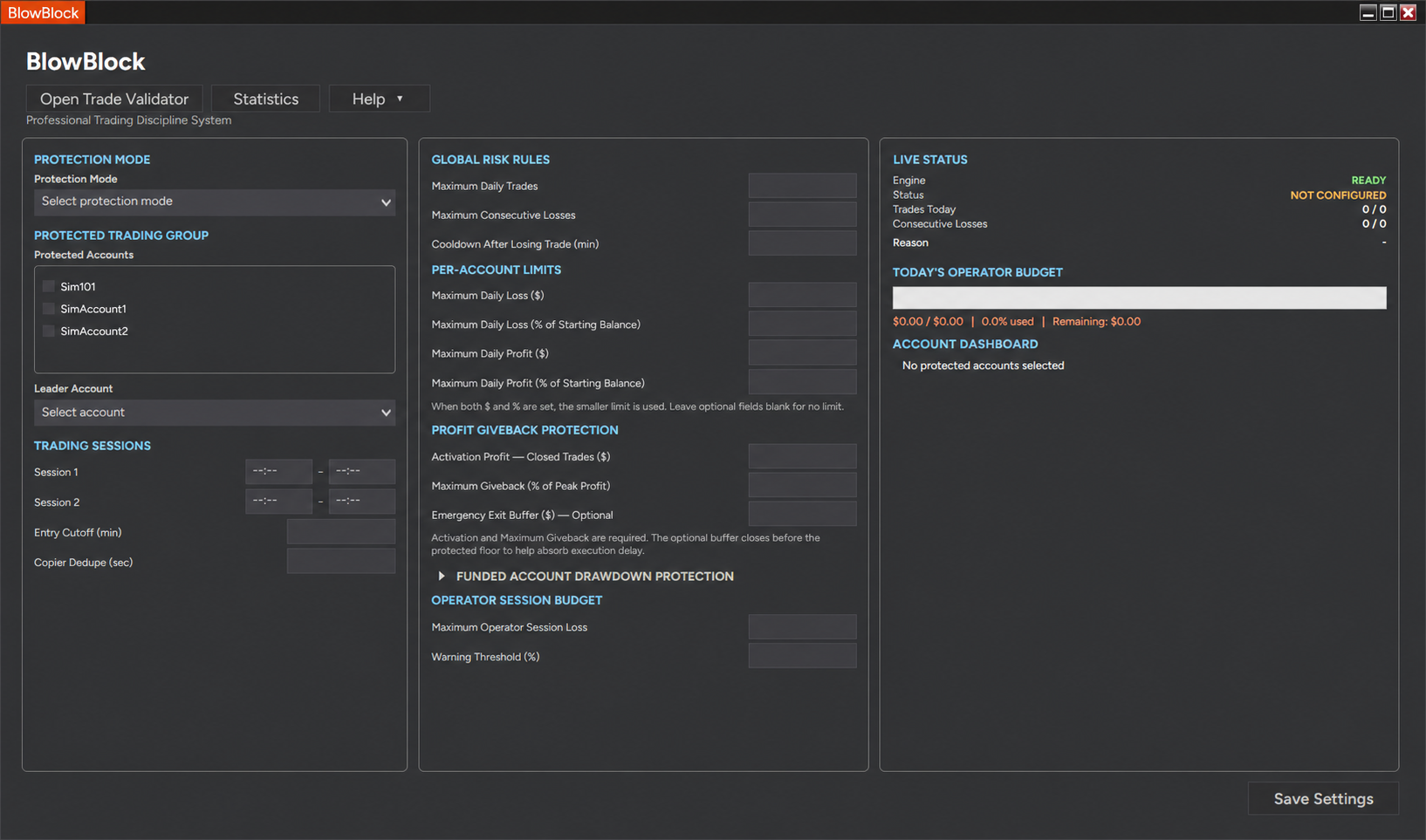
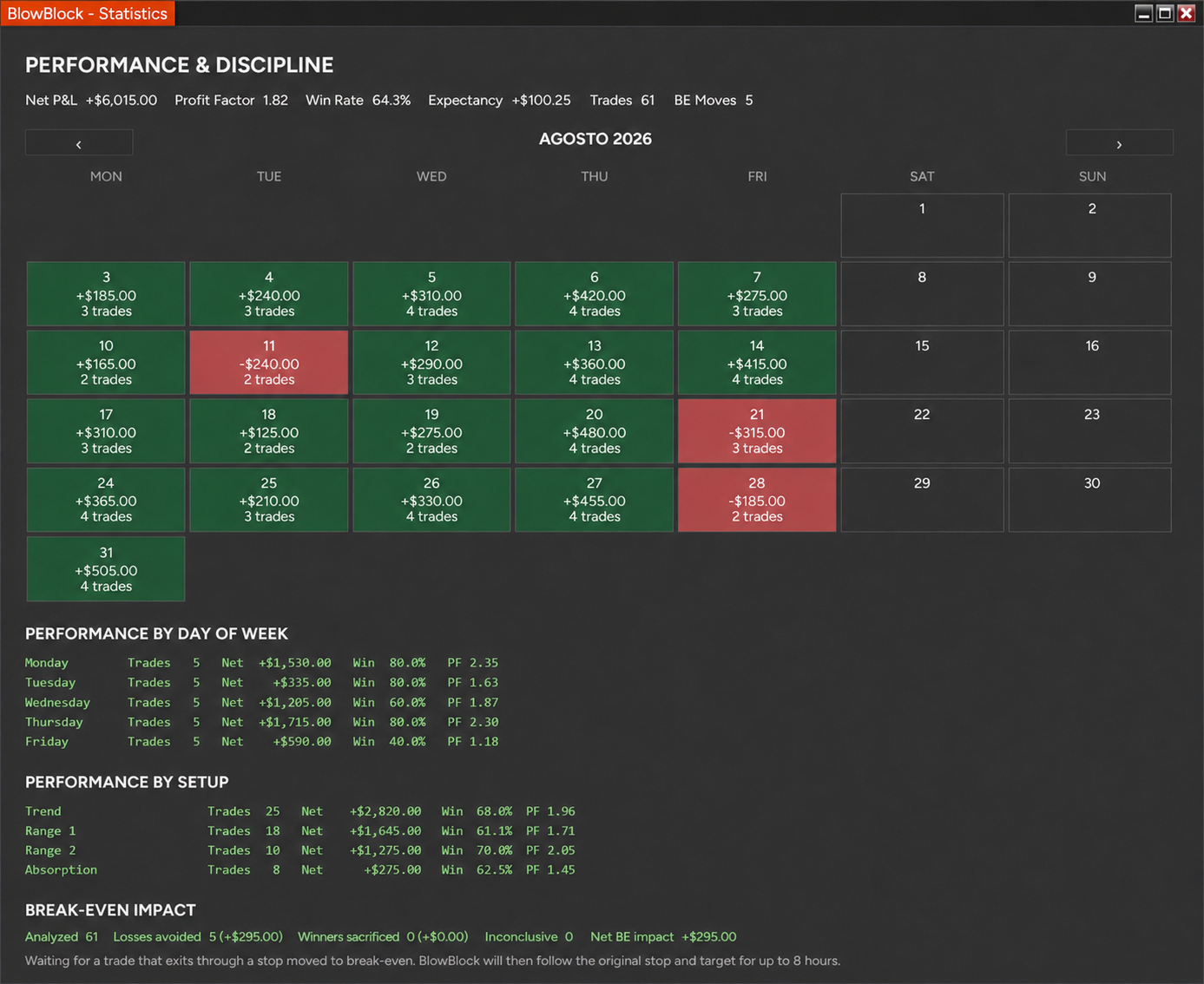
This is Blow Block running inside NinjaTrader 8—not a concept. Configure your discipline before the session, then let the system enforce it when pressure rises. Performance figures shown in product images are simulated examples and are not actual trading results.

Accounts, trading sessions, global rules and live protection status in one place.
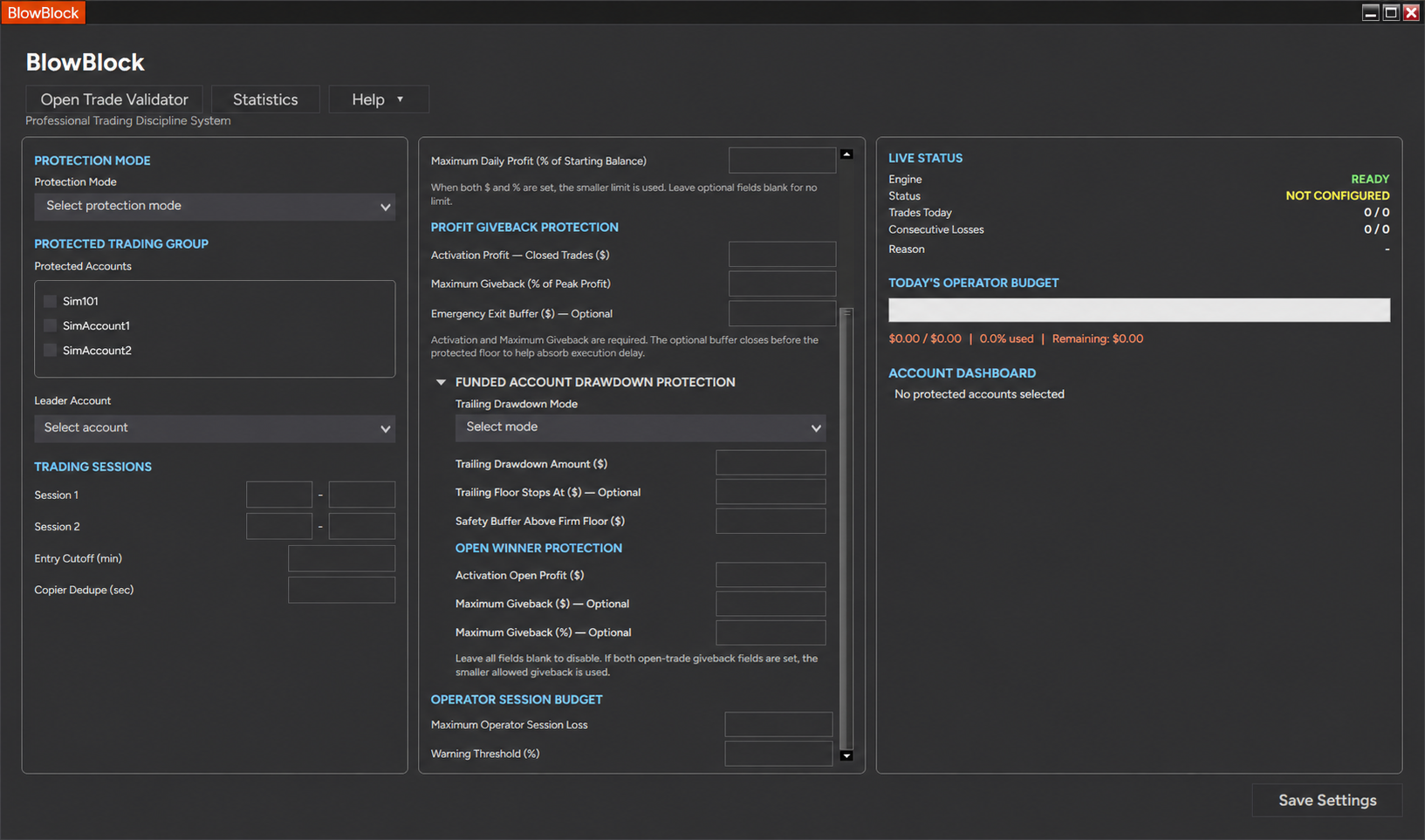
Expand trailing drawdown and open-winner protection only when you need them. Leave optional fields blank to keep the setup focused.

Use only the limits that belong in your plan. Optional controls stay out of the way until you need them.
Blow Block is the first trading discipline tool that brings your trading plan directly onto your charts—exactly where you need it to make decisions.
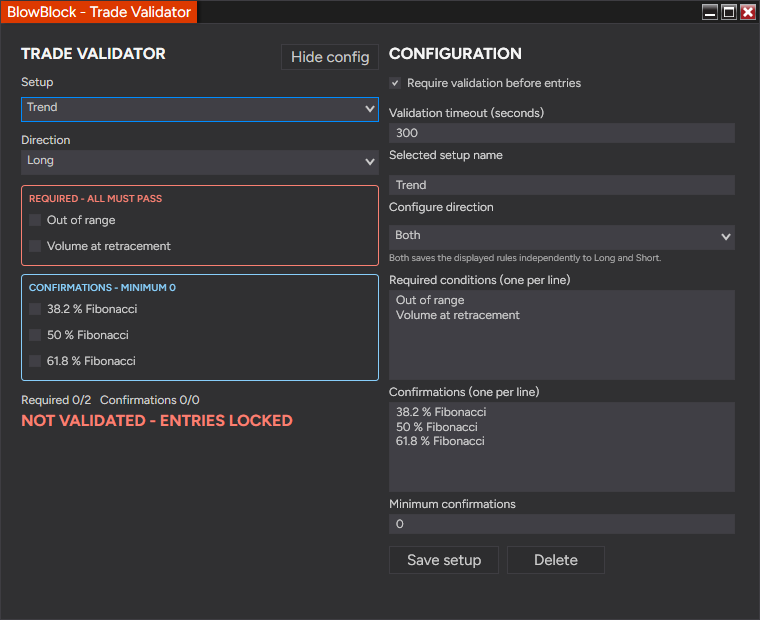
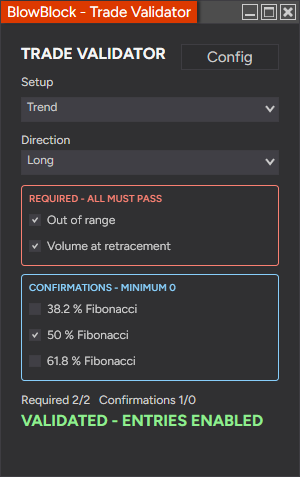
Define the conditions your setup must pass, select the confirmations you need and keep entries locked until your plan says the trade is ready.

Create required conditions, optional confirmations, direction and validation timeout.

Once every required condition passes, Blow Block enables entries.
Blow Block connects each completed trade with its setup and validation context, so your review goes beyond the account balance.

Blow Block combines risk enforcement, pre-trade validation and post-trade discipline analytics in one NinjaTrader workflow.
Category comparison reflects typical product behavior; specific features vary by provider.
Blow Block already unifies protection, validation and discipline analytics. Future add-ons will extend that same decision-first ecosystem.
Automated discipline and risk control that protects your account from impulsive decisions.
Turns each setup into a directional checklist and keeps entries locked until its required rules pass.
New tools built around one idea: better processes create better decisions.
You know how to trade.
Blow Block keeps you trading that way.
Your strategy doesn’t need another signal. Your worst decisions need a block.
No. You still choose every entry. Blow Block validates and enforces the rules you configured.
The validation is consumed and the checklist resets, so the next trade must earn its own approval.
Yes. You can select a protected account group, identify a leader account and set per-account limits alongside a shared operator budget.
Yes. Blow Block 1.0.0 is built for NinjaTrader 8.1.8.2 or later on Windows.
Blow Block becomes disabled until a paid license is assigned to your NinjaTrader account. Your settings and statistics remain on your computer.
Download and import Blow Block, sign in to your NinjaTrader account and open the add-on. The complete 14-day trial activates automatically—no Installation ID or separate request is needed.
Yes. Protection modes determine when settings can be changed, helping prevent impulsive edits during an active session or lock period.
Blow Block installs through NinjaTrader’s standard NinjaScript Add-On importer. Keep the downloaded ZIP intact—do not extract it.
Download the protected Blow Block ZIP from the trial page and leave the file compressed.
Open NinjaTrader Desktop and select Tools → Import → NinjaScript Add-On, then choose the ZIP.
Restart NinjaTrader, then select New → BlowBlock to open the control center.
Sign in to your NinjaTrader account and open Blow Block. Your 14-day trial activates automatically—no Installation ID or separate request is needed.
Try the complete product for 14 days. Upgrade only when you are ready to keep the protection permanently.

Get access to advanced charting, strategy development, backtesting, trade simulation and real-time futures data.
Get NinjaTraderNinjaTrader® is a registered trademark of NinjaTrader Group, LLC. No NinjaTrader company is affiliated with the owner, developer or provider of Blow Block, has any ownership interest in it, or endorses, recommends or approves this product. Kinetick® is a trademark of its respective owner.